In this article
- What a small store actually needs
- Notebook vs. typical POS vs. MyTindahan
- 1. No hardware to buy
- 2. Built around utang, tingi and expiry dates
- 3. Keeps selling when the internet drops
- 4. GCash, e-load and services in one place
- 5. Let staff sell without seeing your profit
- How it fits into a normal store day
- Who it's good for
- Where MyTindahan isn't the right fit
- What it costs
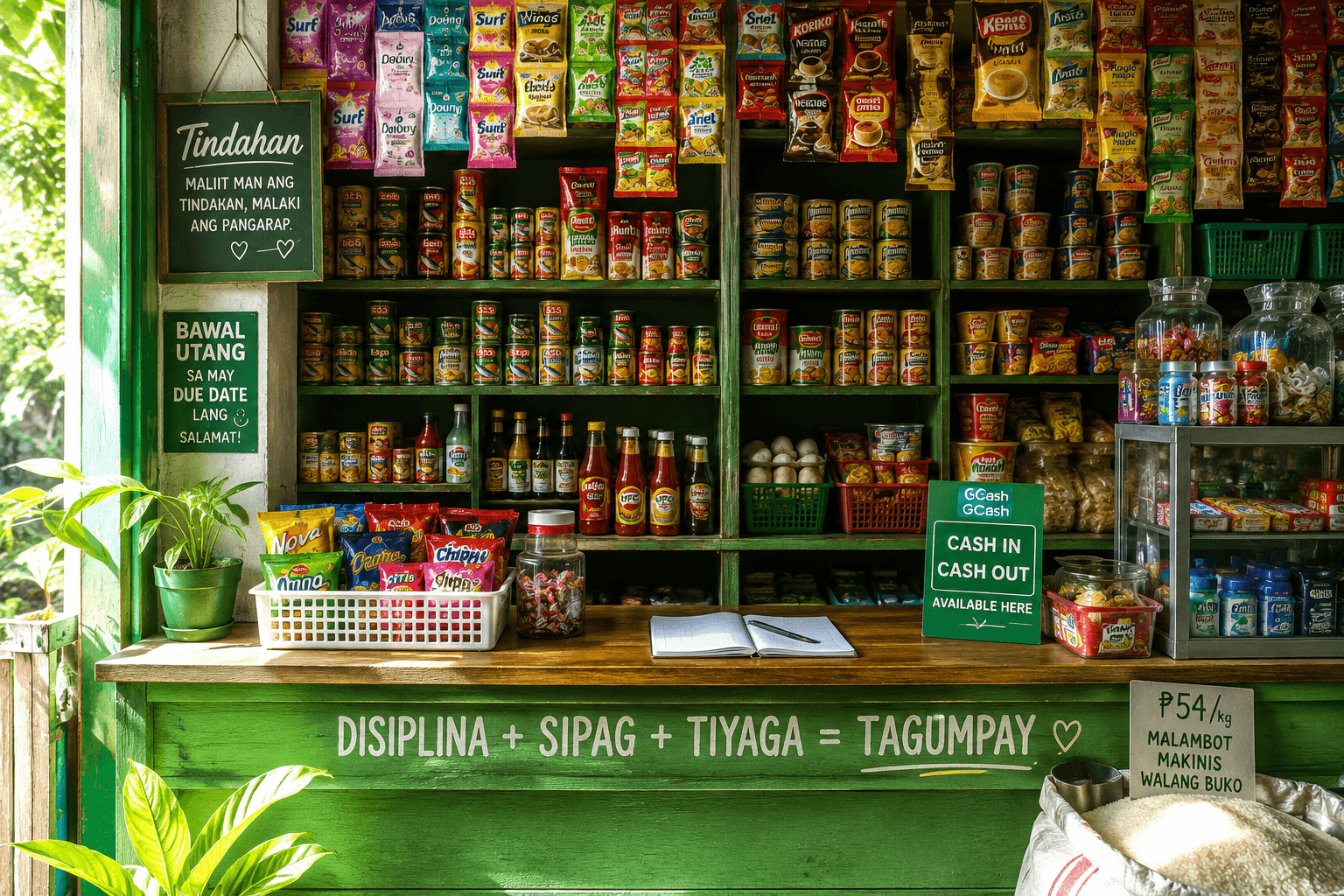
When a store starts to grow, many owners hear the same advice: "Kailangan mo na ng POS." A point-of-sale (opens in a new tab) system records sales, tracks stock and shows reports, and for big shops it's essential. But most POS systems were designed for supermarkets and restaurants, not for a neighborhood store that sells one sachet at a time, gives utang to suki and does GCash cash-ins between sales.
MyTindahan was built the other way around: starting from how a sari-sari store, convenience store or small grocery actually runs. Here's how it compares to a typical POS setup, how it fits into a normal store day, and where it isn't the right fit.
What a small store actually needs
A cash register only answers "how much did I sell?". A small store owner needs more than that every day:
- Utang that adds itself up, with partial payments and who's overdue.
- Stock by expiry date, because the same item arrives in batches with different dates and costs.
- GCash, Maya and e-load records that keep cash on hand and wallet balances straight.
- Tingi and bulk selling: per piece, per kilo, or by the box.
- Selling during brownouts and weak signal, not only when the internet is perfect.
- Tubo per item, so you know which products are really earning.
- A way to let a helper sell without showing them your costs and profit.
Notebook vs. typical POS vs. MyTindahan
Every store is different, and POS products vary a lot. The table below compares what small stores usually run into with each option.
| Notebook | Typical POS system | MyTindahan | |
|---|---|---|---|
| Upfront cost | Almost none | Often a terminal, printer and setup fees | None: free Starter plan, paid plans from ₱1,500/year |
| Hardware | Pen and paper | Usually dedicated hardware | The phone, tablet or computer you already have |
| Utang ledger | Manual, easy to lose track | Often not built in | Built in, with balances and partial payments |
| Expiry tracking | Manual | Varies | Every restock is a batch with its own expiry date |
| GCash / e-load records | Separate notebook | Usually not included | Built in, with your own fee table |
| Works when offline | Yes | Varies | Sales works offline and syncs later |
| Reports and tubo | Hand computation | Usually included | Daily, weekly, monthly and custom ranges |
| Staff access | Shared notebook | Usually included | Staff logins on Pro and Business, profit hidden |
1. No hardware to buy
MyTindahan runs in the browser on any phone, tablet or computer. You can also install it on your home screen like an app, straight from the browser, with no app store download. (Technically it's a progressive web app (opens in a new tab).) If you want faster checkout, the optional Barcode Scanner add-on (included in Business) lets you scan with your phone or tablet camera, or with a USB or Bluetooth scanner that types like a keyboard.
2. Built around utang, tingi and expiry dates
These aren't add-ons bolted onto a supermarket system; they're the core of the app:
- Utang is a first-class payment method at checkout, linked to the customer, with partial payments and an overdue list. See how to manage utang without losing customers.
- Batch inventory: each restock keeps its own cost and expiry date, sales use the earliest-expiring stock first, and you get alerts before items expire. More in our inventory guide.
- Tingi and bulk: sell by the piece, by weight with decimal quantities, or by the box with bulk units.
- Tubo on every sale, from the cost and price you set, with reports for any date range.
3. Keeps selling when the internet drops
Weak signal and brownouts are part of store life. MyTindahan's Sales page keeps working offline: sales are saved on the device and sync automatically when you're back online, each counted once with its original date and time. Open the Sales page online at least once on each device first, so it has your products and prices saved.
4. GCash, e-load and services in one place
Cash-in, cash-out, load and owner transfers each update your cash on hand and wallet balances, with fees filled in from your own fee table. Services such as a haircut, a repair or a delivery fee can be sold alongside products in the same sale. Read more in adding GCash cash-in and cash-out to your store.
5. Let staff sell without seeing your profit
On Pro (up to 3 staff) and Business (up to 5 staff), each cashier or driver gets their own login. Cashiers can ring up sales and see their own totals, but not your costs, profit, reports or settings, and every sale shows who rang it up. On Growth and up, you can also PIN-lock reports and profit on a shared phone.
How it fits into a normal store day
- Morning: open the Overview to see yesterday's sales, low stock and items about to expire. Restock and log the new batch with its expiry date.
- During the day: tap or scan items, choose cash, GCash, utang or a split payment, and the change popup shows the sukli. Stock goes down by itself.
- Between sales: record GCash cash-ins, cash-outs and load; the wallet and cash balances update automatically.
- When suki pay utang: record the payment, full or partial, and their balance updates.
- Closing time: check today's sales by payment method against your drawer, move cash to your vault, and see your tubo for the day. Our daily records routine shows how.
Who it's good for
- Sari-sari stores that sell tingi, give utang and offer GCash or load.
- Convenience stores and minimarts that need fast checkout, barcode scanning and staff logins.
- Small groceries with many products, expiry dates and suppliers.
- Service businesses like barbershops and repair shops that also sell products.
- Distributors with delivery trucks (Business plan): load stock onto a truck, sell from it, even offline, and return what's left.
Where MyTindahan isn't the right fit
We'd rather you choose the right tool. MyTindahan is a back-office store management app, not a BIR-accredited POS: it doesn't issue Official Receipts or Sales Invoices, so keep issuing your BIR-registered receipts (see the BIR (opens in a new tab) for receipt rules). GCash transactions are recorded by you, not pulled automatically from your e-wallet. And only Sales works offline; other pages need a connection. If you need a BIR-accredited cash register for official receipts, you'll need that separately.
What it costs
| Plan | Price | Best for |
|---|---|---|
| Starter | Free | Trying it out with a few products |
| Growth | ₱1,500 / year | Most sari-sari stores: up to 300 products, unlimited utang and GCash |
| Pro | ₱6,000 / year | Bigger stores: unlimited products and up to 3 staff |
| Business | ₱15,000 / year | Up to 5 staff and delivery trucks, with the Barcode Scanner and Receipt Printing included |
Compare the plans on our pricing page, see every module on the features page, or play through the app first in the demo.
Frequently asked questions
Is MyTindahan a POS system?
It works like a POS for recording sales, stock and payments, but it's a back-office store management app, not a BIR-accredited POS. It doesn't issue Official Receipts or Sales Invoices, so keep issuing your BIR-registered receipts.
Do I need to buy hardware to use MyTindahan?
No. It runs on the phone, tablet or computer you already have, and can be installed on your home screen from the browser. For faster checkout, the optional Barcode Scanner add-on lets you scan with your camera or a USB or Bluetooth scanner.
Does MyTindahan work without internet?
The Sales page does: sales are saved on your device and sync automatically when you're back online. Other modules, like Inventory, Utang and GCash, need a connection.